BUYING GUIDE MPC60
Akai MPC60 buying guide: what to check before you buy the original MPC
Every other buying guide on this site covers a machine that came after this one. The MPC60 is where the line starts, released in 1988, designed with Roger Linn, and it does not behave like its own descendants in a few ways that will surprise a buyer coming from an MPC2000XL or MPC3000. Here's what it actually is, the real specs out of Akai's own manuals, and the physical and software checklist worth running before you pay for a nearly 40-year-old machine.
The short version
The MPC60 is Akai's original 1988 sampler/sequencer, co-designed with Roger Linn and manufactured and sold under a licensing deal with his company, Roger Linn Design, the machine every later MPC on this site traces back to. Stock, it ships with 750KB of sound memory (13.1 seconds mono), expandable to 1.5MB (26.2 seconds) with the EXM003 board, 16 simultaneous voices, samples stored in a "special non-linear 12-bit format," a 793KB double-density floppy drive as its only stock storage, and a sequencer holding up to 60,000 notes across 99 sequences of 99 tracks each. Two things about that list matter more to a buyer than any spec on it: this machine has no factory SCSI port at all, and it does not retain sound or sequence data across a power cycle, both covered in full below. Every number above is nearly 40 years old, and unlike this site's other vintage buying guides, this one also has a real software-version gap to check: Version 2 and Version 3.1 units are genuinely different machines in what they can do, not just what firmware happens to be loaded.
DEX'S NOTE: People assume the MPC60 is just an MPC3000 with fewer features, and it isn't, it's a different design philosophy entirely. The MPC3000 guide on this site had to untangle a memory-ceiling dispute. This one's got a stranger problem: half the listings out there describe features (SCSI, 128 sounds, MIDI file import) that only exist if the specific unit in the photo is running the right EPROM. Nobody's lying to you. They usually just don't know their own machine's version.
What the MPC60 actually is
Akai released the MPC60 in 1988, co-designed with Roger Linn, the engineer behind the Linn LM-1 and LinnDrum, and manufactured and marketed under an arrangement with his company, Roger Linn Design, whose name appears throughout the machine's own manual as the source for its official add-ons. A Mark II revision followed in 1991. Under that history, it's the first machine to put sampling, a MIDI sequencer, and a set of velocity- and pressure-sensitive pads into one self-contained box, the template this site's other vintage guides (MPC3000, MPC2000XL) both built on. Its Timing Correct key, the source of the swing percentage this site already dug into in full, first shipped on this exact machine in 1988; that deep dive lives in our own MPC swing and quantize guide rather than repeated here.
It shows up across a specific stretch of hip-hop and R&B history: Marley Marl, DJ Premier, Pete Rock, and Dr. Dre are all named MPC60 users in period and retrospective coverage, The Bomb Squad built Public Enemy's It Takes a Nation of Millions to Hold Us Back around one, and DJ Shadow made his 1996 album Endtroducing..... "with little more than an MPC60 II." Marley Marl, Premier, and Pete Rock are cited generally as MPC60-era producers across period retrospectives rather than tied to one specific serial number the way J Dilla's MPC3000 is tied to a Smithsonian display case, and that distinction is worth keeping straight rather than collapsing into one undifferentiated "vintage MPC legend" story.
Real specs, straight from the manual
Every figure below is quoted or paraphrased directly from Akai's own MPC60/MPC60-II Version 3.1 Operator's Manual, "Technical Specifications of Akai MPC60" appendix, printed page 218 (PDF page 224 in the scanned copy used for this research, verified directly against the PDF itself). A caveat that matters more here than in this site's other guides: several of these figures, flagged in the table, describe what a Version 3.1 unit can do, not every MPC60 on the market. More on that in the checklist below.
| Spec | Figure |
|---|---|
| Sound memory | 750KB standard, expandable to 1.5MB via the optional EXM003 board |
| Sample format | 16-bit A/D and D/A converters; samples stored in a non-linear 12-bit format |
| Sampling rate | 40kHz (20Hz-18kHz frequency response) |
| Max sounds in memory | 128 on Version 3.1; 34 on Version 2 |
| Simultaneous playback voices | 16 |
| Sound programs | 8 (Version 3.1's "programs" system; Version 2 used SET files instead) |
| Sound assignments per program | 64 |
| Sequencer capacity | 60,000 notes max (512KB) |
| Sequences / tracks | 99 sequences, 99 tracks per sequence |
| Sequencer resolution | 96 ppq (parts per quarter note) |
| Song mode | 20 songs, 250 steps per song |
| Pads | 16, velocity and pressure sensitive; 4 banks on Version 3.1, 2 banks on Version 2 |
| MIDI | 4 independent outputs (64 channels total) |
| Sync modes | MIDI Time Code, MIDI clock, FSK 24, SMPTE (24/25/29.97 drop/30 fps), 1/4-note click |
| Storage | 3.5" DD (793KB formatted) floppy drive, no SCSI stock |
| Display | 320-character, 240 x 64 dot graphic LCD |
| CPU | 80186 @ 10MHz |
| Dimensions / weight | 495(W) x 127(H) x 471(D) mm, 10.5kg |
| Power | 100VAC/30W, 120VAC/32W, 220VAC/30W, or 240VAC/30W depending on region |
| Headphone output | MPC60-II only; original MPC60 has none |
Why it's still worth buying in 2026
Three real reasons, not nostalgia dressed up as three reasons. First, it's the actual origin point, not just an early entry: the Timing Correct math this site already traced page by page in its own swing and quantize guide shipped on this machine first, in 1988, and the "sample it, chop it, sequence it, no DAW required" workflow every later MPC on this site runs traces back to this exact box. Second, the sound is genuinely different from anything else this site covers: that "special non-linear 12-bit format" isn't marketing copy, it's Akai's own description of how the MPC60 stores samples, distinct from the MPC3000's straight 16-bit linear storage and from every current MPC, and it's the direct source of the low-fi "crunch" people chase this specific machine for. Third, the history is real and specific to a stretch of records that still get cited constantly: Marley Marl, DJ Premier, Pete Rock, Dr. Dre, and The Bomb Squad's work on Public Enemy all used this machine, alongside DJ Shadow building an entire platinum album on one.
What it isn't: a convenient vintage MPC purchase, and that needs to be said plainly before the checklist below. This is the only machine in this site's buying-guide series that loses every sound and sequence the moment it loses power, the only one with no factory SCSI option at all, and the only one where the OS version installed changes what the machine can genuinely do, not just how it looks doing it. Go in prepared to reload from disk every session and to verify software version before you verify anything else.
The checklist: software and hardware
Run these roughly in order. The first two cost nothing and rule out the most common misunderstandings before you spend a dollar.
1. Confirm the OS version before you trust any feature claim
This is the item every other buying guide on this site skips, because every other vintage MPC this site covers shipped with one functional generation of software. The MPC60 didn't. Version 2 and Version 3.1 are genuinely different machines: Version 3.1 added stereo sampling, a Sound Compression feature that halves memory use per sound, MIDI file import/export, the ability to load MPC3000 disk files (with a real caveat below), raised total sound capacity from 34 to 128, replaced the old SET-file sound-assignment system with 8 switchable programs, and doubled pad banks from two to four. If a listing advertises "128 sounds," MIDI file support, stereo sampling, or four pad banks, that's a Version 3.1 claim, and it's worth asking directly which OS EPROM is actually installed rather than assuming every MPC60 on the market has it. There's a real cross-machine catch buried in the same section too: Version 3.1 can load MPC3000 disk files, but the MPC60 physically cannot read the MPC3000's high-density floppies, so those files have to be resaved onto an MPC60-formatted disk from an MPC3000 first, not loaded directly off an MPC3000 disk.
2. Power on and run the machine's own documented test mode, if you have the disk for it
Unlike this site's MPC3000 guide, which could only find a forum-documented "orange mode" for that machine, the MPC60's own Service Manual documents a real factory test mode directly: insert a dedicated TEST DISK and power on, and a five-item menu appears on the LCD: DAC Trim, ADC Monitor, CPU RAM test, Battery CRAM test, and Sound Memory test. The catch: this needs a specific TEST DISK most sellers won't have on hand, and none of the five items is a pad test, so it won't tell you anything about pad condition, covered separately below. If a seller can produce the test disk and walk you through it, that's a genuinely useful, Akai-documented diagnostic to ask for, not a forum rumor.
3. Inspect the screen, and check which model you're actually buying an LED replacement for
The MPC60's 240 x 64 dot graphic LCD ages the way every panel from this era does, unevenly. Check every corner under real light for dead pixels, dim patches, or a whining inverter on startup. A working replacement exists but isn't one-size-fits-all: mpcstuff sells an LED-backlit LCD replacement compatible with the MPC3000, S3000XL, MPC60 II, and the original MPC60 at $245.00 (marked down from $328.90), but the vendor's own listing flags that the board's outer area is a slightly different size on the non-Mark-II MPC60, meaning mounting modifications are needed and an adapter kit is offered specifically for that case. Confirm whether you're looking at an original MPC60 or an MPC60-II before you price a screen repair into an offer; the part fits both, the install doesn't.
4. Test the floppy drive, and don't assume a "MPC60-compatible" part matches Akai's own spec
The MPC60's only stock storage is a 3.5-inch double-density drive formatted to 793KB, not the 1.44MB high-density mechanism this site's MPC3000 guide covers, and Akai's own Service Manual lists that drive by its own part number, BB-375768, "FLOPPY DISK MF353C-62M," as item number one on its own Recommended Spare Parts list, meaning Akai itself expected this exact part to need routine replacement before anything else on the machine. That's worth flagging plainly because at least one active parts vendor sells what it markets as a single interchangeable drive for both machines: mpcstuff's own "MPC 3000/60 Floppy Drive" product page, $242.00, lists no model-specific variant or density spec and simply describes it as "a used BLACK drive" compatible with both. Akai's own service manuals list two different OEM drive part numbers for the two machines (MF353C-62M for the MPC60, FD-235HF-3300 for the MPC3000, per that guide's own citation), while this vendor page markets one part for both with no distinction made. Stated plainly rather than resolved: that's a real gap between Akai's own documentation and at least one aftermarket listing, worth a direct question to the seller about exactly which drive is actually inside the unit you're buying rather than assuming the vendor page's framing is complete.
5. Check for SCSI, and expect not to find it
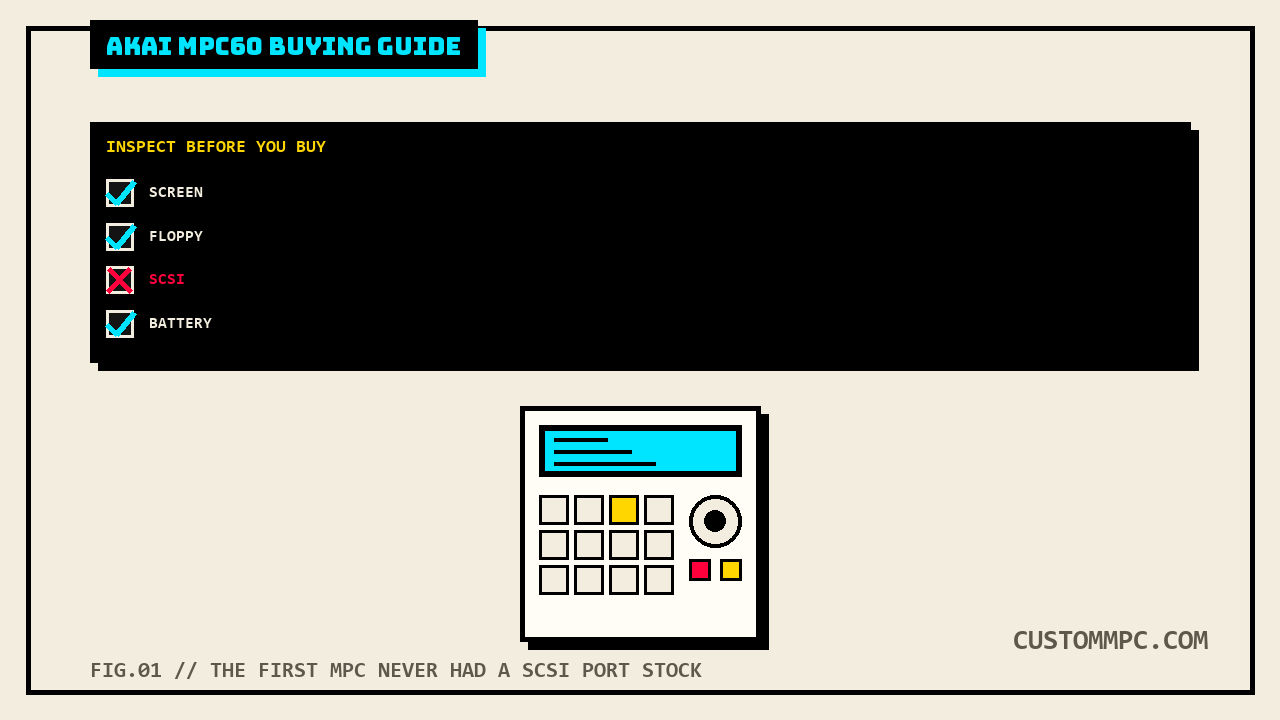
The MPC60 shipped with no factory SCSI port, full stop. Every SCSI port on a real-world MPC60 is a third-party retrofit, most commonly the interface manufactured by Marion Systems and sold under Roger Linn Design's own name as the MPC-SCSI option, a 25-pin D-type connector "compatible with hard drives used with the Apple Macintosh," officially certified only for Iomega Zip and Jazz drives and SyQuest removable drives. The manual's own DISK menu confirms it isn't universal even among 3.1-equipped units: the ninth disk option, "Select disk," only appears at all if a SCSI hard disk is actually connected, which the manual states plainly requires the Marion Systems upgrade. This site's own SCSI to SD mod guide already covers this exact point in more depth, including that a genuine Marion Systems or Stratos board is a prerequisite before any SCSI2SD or ZuluSCSI drive has anything to plug into on this specific model, unlike the MPC2000XL, MPC3000, or MPC4000, where SCSI ships stock. If a listing says "with SCSI," ask to see the actual board, and if you want SCSI added later, mpcstuff currently sells a dedicated MPC60 SCSI Upgrade Kit with internal and external cables for $214.50, listed as requiring "OS 3:10 and up" and roughly two weeks as a special-order item.
6. Ask directly whether sequences survive a power cycle, and don't expect the seller to know why
This is the item most likely to catch a buyer off guard coming from any other MPC on this site. Akai's own manual states it in plain language: "Since the MPC60 loses all sequence and sound data when the power is removed, it is important always to save any changes to disk before turning the power off." That's a genuine functional gap from every later MPC this site has covered, none of which work that way. What does survive a power cycle on the MPC60 is a smaller, separate set of system settings, saved to what the manual calls a PAR file and kept alive by a battery-backed section of RAM, not the sounds or sequences themselves. That battery is the same one this site's own battery backup replacement guide already covers in full for this exact model, a Lithium CL2020 cell, part EZ-378206, with a CR2032 substitute as the community-standard replacement; not repeated here. What matters for a buyer specifically: don't judge a listing by whether it "holds a sequence with the power off," because on a correctly functioning MPC60 it never will, that's the machine working as designed, not a fault.
7. Play every pad, watching for cross-talk, and know there's no calibration screen to fall back on
Sixteen pads, velocity and pressure sensitive, across two banks on Version 2 or four on Version 3.1. This site's own pad repair and calibration guide already did the deep dive on this exact machine, and the headline is worth repeating before you shop: Akai's own documentation for the MPC60 does not describe a pad sensitivity calibration screen at all, the same gap that guide found on the MPC3000 and MPC2000XL, so a pad that mis-triggers or cross-talks with its neighbor is a hardware diagnosis, not a settings menu to dig through. That same guide confirms the MPC60's pad and sensor board part numbers, SE-376331 and BA-379695, cross-checked directly against this manual's own Final Assembly Block parts list rather than re-derived here.
8. Confirm which machine you're actually buying: MPC60 or MPC60-II
The only hardware difference Akai's own manual documents between the two is a headphone output, present on the MPC60-II, absent on the original. That's a small thing on paper and a real thing in practice if you're planning to monitor on headphones without a mixer in the chain. Combined with the screen-mounting difference in item 3 above, it's worth having a seller confirm which specific unit is in front of you rather than assuming "MPC60" as a listing title always means the same hardware.
What they actually cost right now
This is a small, scattered sample, stated honestly rather than smoothed into a clean range: a used MPC60 listed on Reverb in "very good" condition sold for $899.95 plus $30 shipping, while a separately listed MPC60-II Mark II bundled with both OS 3.10 and OS 2.12 EPROMs and "extras" listed on eBay at $3,679.00, both figures reflecting a single check at the time of writing via WebSearch's indexed summary, not a direct page fetch (direct fetches of individual Reverb and eBay listing URLs returned HTTP 403 throughout this research pass, consistent with every prior article on this site that has tried those domains directly). That's a wide spread even by this site's own vintage-MPC standards, and the gap tracks with everything above: a bare, unverified MPC60 and a serviced MPC60-II with two documented OS versions already included are not the same purchase. Budget real repair money on top of whatever a specific listing costs if the unit needs work: a $245 screen (with the MK1 mounting caveat above), a $242 floppy drive (with the part-number caveat above), and, if you want SCSI added, a $214.50 SCSI upgrade kit are all real, current prices, not estimates, cited in full above.
Common mistakes
Mistake: assuming a used MPC60 has SCSI. It never does stock. Every SCSI port on a real unit is a Marion Systems, Stratos, or similar third-party retrofit, and the manual's own DISK menu confirms the ninth disk option only appears when that hardware is actually present.
Mistake: expecting a sequence to survive a power cycle. Akai's own manual states directly that the MPC60 loses all sound and sequence data when power is removed. Only a separate, smaller set of system settings, saved as a PAR file, survives on battery-backed memory.
Mistake: trusting a "128 sounds" or "MIDI file support" claim without checking the OS version. Those are Version 3.1 features. A Version 2 unit caps out at 34 sounds, two pad banks, and no MIDI file import at all.
Mistake: assuming an "MPC3000/60 compatible" part is a documented, interchangeable drive. Akai's own service manuals list two different floppy drive part numbers for the two machines even where at least one parts vendor markets a single drive for both.
Mistake: treating "MPC60" as one hardware spec across every listing. The Mark II adds a headphone jack the original doesn't have and takes a straightforward LED screen swap where the original needs mounting modifications. Confirm which one is actually for sale.
A note on sources
Rule two on this site is that conflicts get stated, not quietly resolved, and this article surfaced two worth calling out directly rather than in passing. First, the floppy drive question in the checklist above: Akai's own Service Manual lists a distinct OEM part number for the MPC60's drive, separate from the MPC3000's, while at least one active parts vendor sells a single product marketed as fitting both machines with no model-specific spec on the page. Neither source is being accused of being wrong here; a vendor selling a functionally compatible substitute part isn't the same claim as Akai's own original-equipment part number, but a buyer paying for "the right drive" deserves to know those two things aren't automatically the same claim, and this article isn't picking one over the other.
Second, a source-quality note rather than a factual conflict: this research pass found a real, Akai-documented test mode for the MPC60 in its own Service Manual, DAC Trim, ADC Monitor, CPU RAM test, Battery CRAM test, and Sound Memory test, entered with a dedicated TEST DISK. That's a stronger source than this site's own MPC3000 guide could find for that machine's equivalent diagnostic mode, which rested on forum-indexed content rather than a readable Akai document. Worth knowing plainly: source quality varies model to model even within this site's own vintage coverage, and this article is not going to imply MPC3000-level uncertainty about a fact this manual actually documents directly, or vice versa.
One general vendor-sourcing note also applies here, consistent with every other buying guide on this site: direct fetches of individual Reverb and eBay listing pages returned HTTP 403 throughout this research pass, so the pricing figures above rest on WebSearch's indexed summaries of that marketplace content rather than a direct page fetch. Where a direct fetch succeeded, mpcstuff's product pages in this case, that's stated as such above; where it didn't, that's stated too.
Verdict
VERDICT
The specs: 750KB sound memory expandable to a documented 1.5MB, 16 voices, samples stored in a genuinely distinct non-linear 12-bit format, a 60,000-note sequencer across 99 sequences of 99 tracks, and no factory SCSI port anywhere in the lineup. All confirmed straight from Akai's own manuals and unchanged since 1988. The purchase: not a spec-sheet decision and not a simple condition check either, it's a version-and-configuration decision on top of the usual screen/floppy/pad checks. Confirm the OS version before trusting any feature claim, expect no factory SCSI and price a real Marion Systems board or a $214.50 kit into the deal if you want one, don't judge the unit by whether a sequence survives a power cycle because it's never supposed to, and confirm whether you're actually looking at an MPC60 or an MPC60-II before assuming a screen swap or headphone jack works the way you expect. The money: a small, honestly scattered sample ran from roughly $900 for a bare, unverified unit to nearly $3,700 for a serviced Mark II with both OS versions included, and every repair part costs real money on top of whatever the listing asks. Get all of that right and you're not buying a curiosity, you're buying the machine every other MPC on this site's buying-guide series is still, in one way or another, a version of.
Bought one recently, or found something this checklist should have caught? Tell us what happened.