BUYING GUIDE MPC2000XL
Akai MPC2000XL buying guide: what to check before you buy a vintage MPC
Every MPC2000XL on the used market is now pushing or past its late twenties. Here's what the machine actually is, the real specs straight out of Akai's own Operator's Manual, and the physical checklist worth running on a used unit before you pay for it, screen, floppy drive, SCSI port, battery, and pads, in the order that actually matters.
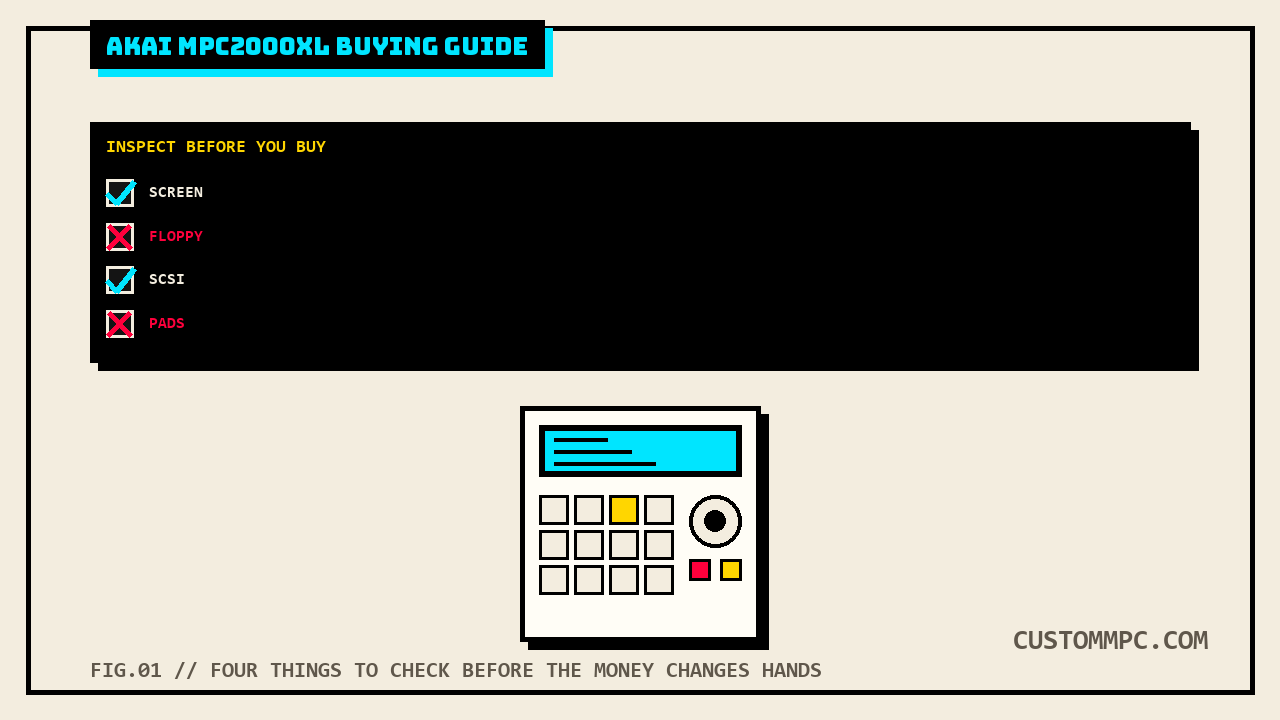
The short version
The MPC2000XL is a 1999 standalone sampler/sequencer from Akai, the machine most people mean when they say "an old MPC" without specifying which one. Stock, it ships with 2MB of sound memory, expandable to 32MB across two SIMM slots, 256 sounds held in memory at once, 32 simultaneous playback voices, 16-bit/44.1kHz sampling, and a sequencer that holds up to 300,000 notes across 99 sequences of 64 tracks each. Every one of those numbers is over 25 years old now, which is the entire point of this article: a used 2000XL isn't a spec-sheet purchase, it's a purchase of a specific unit's condition, and the condition is what varies wildly from one listing to the next. Buy the specs from the manual below with confidence. Buy the actual unit only after running the checklist further down.
DEX'S NOTE: I've owned two of these, sold one, still have the other sitting on the desk behind me with a SCSI2SD board in it. Neither purchase went the way the listing photos suggested. One had a floppy drive that only worked cold, dead within twenty minutes of being powered on. The other had pads that felt fine in the store and started cross-talking two weeks later. This guide is the checklist I wish I'd run both times.
What the MPC2000XL actually is
Akai's own feature summary opens the manual by listing what was new for this generation: a 248 x 60 dot graphic LCD with six function keys under it that change per screen, a built-in 1.44MB floppy drive for both sequences and sound data, and a built-in SCSI interface for external hard disk storage, on top of the sampler and sequencer engine underneath. It's a self-contained sampler and MIDI sequencer in one box, no computer required to load a sound, chop it, program a drum track, and sequence a full arrangement. That workflow, sample it, chop it, pad it, sequence it, without a DAW anywhere in the chain, is the reason this specific model still gets talked about on production forums instead of quietly aging out like most 1999-era gear. It's not the first MPC or the most expensive vintage one (that's the MPC60 and the MPC3000, respectively), it's the one that shipped in the biggest numbers, which means it's also the one with the biggest surviving used-market supply and the deepest aftermarket parts ecosystem today.
Real specs, straight from the manual
Every number below is quoted or paraphrased directly from Akai's own MPC2000XL Operator's Manual, not a spec-sheet aggregator or a forum recap. Where the manual states a figure in two places with slightly different rounding, that's flagged in the sources note further down rather than smoothed over.
| Spec | Figure |
|---|---|
| Sound memory | 2MB standard, expandable to 32MB via two 72-pin SIMM slots (70ns or faster recommended) |
| Sample format | 16-bit linear, 44.1kHz stereo |
| Max sounds in memory | 256 |
| Simultaneous playback voices | 32 |
| Sound programs | 24 max, up to 4 playable simultaneously |
| Filter | 12dB/octave dynamic resonant lowpass, per voice |
| Sequencer capacity | ~300,000 notes total, 50,000 notes max per sequence |
| Sequences / tracks | 99 sequences, 64 tracks per sequence |
| Sequencer resolution | 96 ppq (parts per quarter note) |
| Song mode | 20 songs, 250 steps per song |
| Pads | 16, velocity and pressure sensitive, across 4 banks |
| MIDI | 2 outputs (32 channels total), 2 mergeable inputs |
| Storage | 3.5" 2HD/2DD floppy drive, plus 50-pin high-pitch SCSI (fixed ID 6, terminated, 6m max chain length) |
| Display | 248 x 60 dot graphic LCD |
| Dimensions / weight | 405(W) x 106(H) x 331(D) mm, 5.5kg |
| Power | 100 to 240 VAC, 50/60Hz, 23W (13W without options) |
Two of those figures are worth pulling out and explaining, because they're the ones that actually shape a buying decision rather than just sitting on a spec sheet. Sound memory maxes out at 32MB, which sounds small next to a modern sample library, but at 16-bit/44.1kHz that's real recording time, and it's the same ceiling every 2000XL on the market shares; a unit with 2MB stock and a unit with the SIMM slots filled to 32MB are functionally different machines for anything beyond short one-shots and drum hits. And the SCSI ID is fixed at 6 by the factory, not user-adjustable, which matters the moment you're wiring up any external drive or a SCSI2SD/ZuluSCSI board, every other device on that chain has to be set to something other than 6.
Why it's still worth buying in 2026
Three practical reasons, none of them nostalgia. First, it's the most common vintage MPC on the used market by a wide margin, which means parts, community knowledge, and repair guides exist for it that simply don't exist for rarer models. Second, its factory SCSI interface is a genuine advantage for anyone doing a storage mod today: we've covered the SCSI2SD/ZuluSCSI swap in detail in our own SCSI to SD card mod guide, and the 2000XL is one of the best-supported machines for that exact upgrade, with preconfigured kits sold specifically for it. Third, it's still a full standalone sampler and sequencer with no subscription, no companion app required, and no cloud account, everything the manual documents above still works exactly the way it did in 1999, as long as the physical unit is sound.
What it isn't: a cheap way into MPC ownership anymore. It was a mid-tier machine at launch and used prices have climbed as the surviving supply ages and thins out, covered with real numbers in the pricing section below. Go in expecting a real purchase, not a bargain-bin flea market find.
The physical checklist
Run these in order, cheapest and fastest checks first, before you commit to anything expensive to verify later.
1. Power on and check the OS version screen
Before anything else, confirm the unit boots at all and check what it's running. Hold SHIFT and press OTHER, then press the F3 function key to open the VER. screen, which displays the operating system version currently loaded. Ask the seller what OS version is installed before you show up, then confirm it yourself on arrival; a mismatch is a small thing, but it tells you whether the machine has been actively maintained. While you're in OTHER mode, hold SHIFT and turn the DATA wheel to check the display contrast adjustment actually moves the screen, a quick way to rule out a contrast pot that's stuck or a display that's failing to respond to input at all.
2. Inspect the screen itself, not just whether it turns on
The 2000XL's LCD is a 248 x 60 dot graphic display, and these panels degrade with age. Community repair discussion on these units treats a missing pixel as an early warning sign rather than a cosmetic quirk, the reasoning being that once individual pixels start dropping out, more follow, and the screen going fully unreadable is the direction that trend runs. Check every corner and edge of the display under good light, not just the center, and don't buy a unit with visible pixel dropout unless the price already reflects a screen replacement in your near future.
3. Test the floppy drive under real load, not just once
This is the single most commonly reported wear item on a 2000XL, and it's worth testing thoroughly rather than trusting a single successful load in the store. Bring a floppy disk (or ask the seller for one already formatted for the machine) and actually save and reload a sequence, more than once, ideally after the unit has been powered on for fifteen to twenty minutes rather than immediately after power-up. Community reports on these drives describe failures that specifically show up after the machine has been running a while, not on the first cold load, along with disks that get corrupted on save rather than cleanly rejected, which is a worse failure mode than a drive that simply won't read at all because it can silently damage the session you thought you'd just saved. If the floppy drive is dead or flaky and the seller is treating it as a non-issue "because SCSI exists," remember the drive isn't optional on a stock unit, it's the only way to load an OS update without a working SCSI setup already in place. A replacement used floppy drive pulled from a working 2000/2000XL runs about $75.90 from mpcstuff at the time of writing, worth knowing as a real number to weigh against a discount on a unit with a bad one.
4. Check the SCSI port and ask what's been connected to it
The factory SCSI interface is a real asset on this machine, fixed ID 6, terminated at the factory, 6-metre max chain length, but it's also a common source of past owner tinkering. Ask directly whether the unit has run an external SCSI drive, a Zip drive, or a SCSI2SD/ZuluSCSI board, and if so, whether it's included in the sale or was removed. A 2000XL that's spent its life on floppy alone is a different unit to evaluate than one that's had a chain of SCSI devices plugged and unplugged from it for two decades; loose termination and bad cabling on that port can cause data errors long before anything shows up as a visible fault. We cover exactly what to buy and how to install a SCSI2SD or ZuluSCSI board correctly, including the termination and ID pitfalls, in our full SCSI to SD mod guide, worth reading before you decide whether a missing external drive is a dealbreaker or just something you'll fix yourself for under $130.
5. Ask about the battery, and don't expect a confirmed answer
Every vintage MPC that holds settings or sequence data in memory between power cycles typically does it with a small backup battery, and it's worth asking a seller directly whether theirs has ever been replaced or has ever leaked. Here's the honest part, stated in more detail in our own battery backup replacement guide: this research could not locate a readable Akai service manual for the MPC2000 or 2000XL confirming the exact battery part number or chemistry the way we could for the MPC60 and MPC3000, and the 2000XL owner community doesn't have a settled public answer either. What that means for a buyer: you can't currently look up a confirmed spec sheet on this specific point, so treat any settings or memory loss between power cycles as a real symptom worth asking a tech to diagnose directly rather than something this guide, or most others, can pre-diagnose from a listing photo.
6. Play every pad, hard and soft, and watch for cross-talk
Sixteen pads, velocity and pressure sensitive, across four banks. Play each one across its full dynamic range, soft to hard, and specifically try to trigger a neighboring pad by hitting one cleanly and watching whether an adjacent pad lights up in the sequencer. Community repair guides for the 2000XL also flag the tact switches under the surrounding transport and mode buttons as a separate wear item worth checking, since they degrade the same way any mechanical switch does after 25-plus years of use and are a soldering-level fix, not a pad replacement. If you hear or see cross-talk, or a pad that needs a much harder hit than its neighbors for the same velocity, that's likely a sensor board issue rather than just tired rubber. We go through the full diagnosis, including the honest gap in what Akai's own manuals document about pad calibration on this generation of hardware (there isn't a documented calibration screen the way there is on later MPCs), in our pad repair and calibration guide. Read it before you assume a mis-triggering pad just needs a settings tweak; on this machine, it doesn't.
7. Verify the outputs and any option boards actually installed
The 2000XL's rear panel carries stereo main outputs, a headphone output, MIDI in/out x2, the SCSI port, and, if the optional boards are fitted, digital I/O and eight individual outputs via the IB-M208P board, SMPTE sync via the IC-M2TC chip, and multi-effects via the EB16 board. If a listing advertises any of those options as installed, actually test them: play through each of the 8 individual outs if the IB-M208P is claimed, confirm SMPTE lock if the IC-M2TC is claimed, and run a sound through the onboard effects if the EB16 is claimed. A board that's physically present but not actually functioning is a common enough gap between a listing description and reality that it's worth ten minutes to rule out before you pay for it.
8. Ask how much sound memory is actually installed
Stock is 2MB. Fully expanded, using two 72-pin SIMMs, it's 32MB, and the manual's own configuration table shows the steps in between: 2MB stock, 18MB with one 16MB SIMM in either slot, or 32MB with two 16MB SIMMs (a single 32MB SIMM in one slot also reaches 32MB total, and when that's installed, the 2MB on the main board is ignored). A seller who genuinely doesn't know what's installed isn't lying to you, plenty of these machines changed hands without documentation, but it's a fair, direct question to ask, and if the answer matters to your workflow, it's confirmable by opening the case and counting installed SIMMs against that table yourself.
What they actually cost right now
Real listings, not a guessed range. A quick pass across current Reverb listings at the time of writing shows used 2000XL units running from roughly $925 for a Very Good condition MCD variant up to $1,300 for an Excellent condition standard unit, with a straightforward Excellent condition listing landing right around $1,029. That's a real jump from what these went for a decade ago, and it tracks with the same pattern covered elsewhere on this site: a shrinking supply of working vintage units against a steady or growing pool of buyers who specifically want the hardware workflow, not a plugin emulation of it. Condition drives the swing inside that range more than any single spec does, which is the entire reason the checklist above matters more than the price tag on any individual listing.
Common mistakes
Mistake: judging screen condition from listing photos alone. Photos compress and color-correct in ways that can hide early pixel dropout. Get eyes on the actual unit, in person or over video call, under decent light, before you commit.
Mistake: treating "has SCSI" and "has a working floppy drive" as a tradeoff you can skip evaluating. They're two separate storage paths that fail independently. A dead floppy drive on a unit with no SCSI drive attached means no way to load an OS update or move sounds without opening the case, full stop.
Mistake: assuming a pad problem is a settings issue. There is no documented pad sensitivity calibration screen on this hardware generation the way there is on later MPCs. A mis-triggering pad is a hardware diagnosis, not a menu to dig through.
Mistake: not asking what OS version is installed before you travel to see a unit. It's a thirty-second check on the seller's end (SHIFT + OTHER, then F3) and tells you whether the machine has been maintained at all.
Mistake: paying vintage-premium price for a unit with a confirmed dead floppy drive and no SCSI history. Budget the $75.90 replacement drive cost, or the SCSI2SD mod cost, into your offer, don't pay full asking price and then discover the repair bill afterward.
A note on sources
Rule two on this site is that conflicts inside a primary source get stated, not quietly resolved, and this manual has one worth flagging rather than rounding past. Akai's own Chapter 1 Features summary states 2MB of standard sound memory holds "22 seconds mono or 11 seconds stereo," while the Technical Specifications appendix, describing the same 2MB standard figure, states "21.9 seconds mono or 10.9 seconds stereo." Both are in the same manual, both describe the same stock 2MB configuration, and the numbers don't match exactly, a tenth of a second off in each case. It reads like two people rounding the same underlying figure differently at two different points in the document rather than a real spec discrepancy, and it has no practical effect on a buying decision either way, but this site's own standard is to quote both instead of picking the one that looks cleaner.
Separately, and stated here rather than assumed: this research pass also checked whether the MPC2000/2000XL Service Manual could confirm any of the physical repair detail this article points to (battery part number, pad sensor board part number, disassembly sequence). It can't. The copy on file is a scanned image with no extractable text layer across all sixteen pages, the same gap this site's battery-backup and pad-repair-calibration articles already disclosed for this model. Everything in the checklist above that touches physical hardware condition, screen, floppy drive, pads, battery, is sourced to the Operator's Manual (which does have a readable text layer) plus community forum reports, labeled as such, not to a service manual we don't actually have readable access to.
Verdict
VERDICT
The specs: 2MB sound memory expandable to 32MB, 256 sounds in memory, 32 voices, 16-bit/44.1kHz, a 300,000-note sequencer across 99 sequences of 64 tracks, and a factory SCSI port fixed at ID 6. All of that is confirmed straight from Akai's own manual and hasn't changed in 25-plus years. The purchase: not a spec-sheet decision, a condition decision. Check the OS version screen, inspect the display for pixel dropout, run the floppy drive hard for at least fifteen minutes, ask directly about SCSI history and the battery, play every pad across its full velocity range watching for cross-talk, and confirm any claimed option boards actually work. The money: budget for real used prices in the $900 to $1,300 range depending on condition, and price in a floppy drive or SCSI2SD mod if the unit needs one rather than treating it as a surprise later. Get all of that right and you're not buying nostalgia, you're buying a full standalone sampler workflow that still works exactly the way it did in 1999.
Bought one recently, or found something this checklist should have caught? Tell us what happened.