GUIDE Effects
MPC Modulation effects: 10 AIR tools, and 12 older ones that pair up
Modulation is the second-biggest effects category on the MPC, 22 entries, one behind Delay/Reverb's 23. Ten of them carry the AIR prefix Akai puts on its newer plugin-grade design line, and this article gives all ten a full parameter table. The other twelve are older, simpler tools, and they don't stand alone, they pair up into six sync/non-sync twins, an untempo-synced version and a tempo-synced version of essentially the same effect. Diffed field by field rather than assumed from the names: several of those pairs share every single default value except the one field that has to change, Rate's own units. Checked page by page against Akai's own manual, with position-sorted word coordinates where the linear text stream tangled two effects' controls together on the same page.
The short version
This site's own insert vs send/return effects article already counted every category in the shared 98-effect catalog, and named Modulation as the second largest at 22 entries, one behind Delay/Reverb:
"Delay/Reverb 23, Dynamics 14, EQ/Filter 17, Harmonic 19, Modulation 22, Vocal 3, total 98."
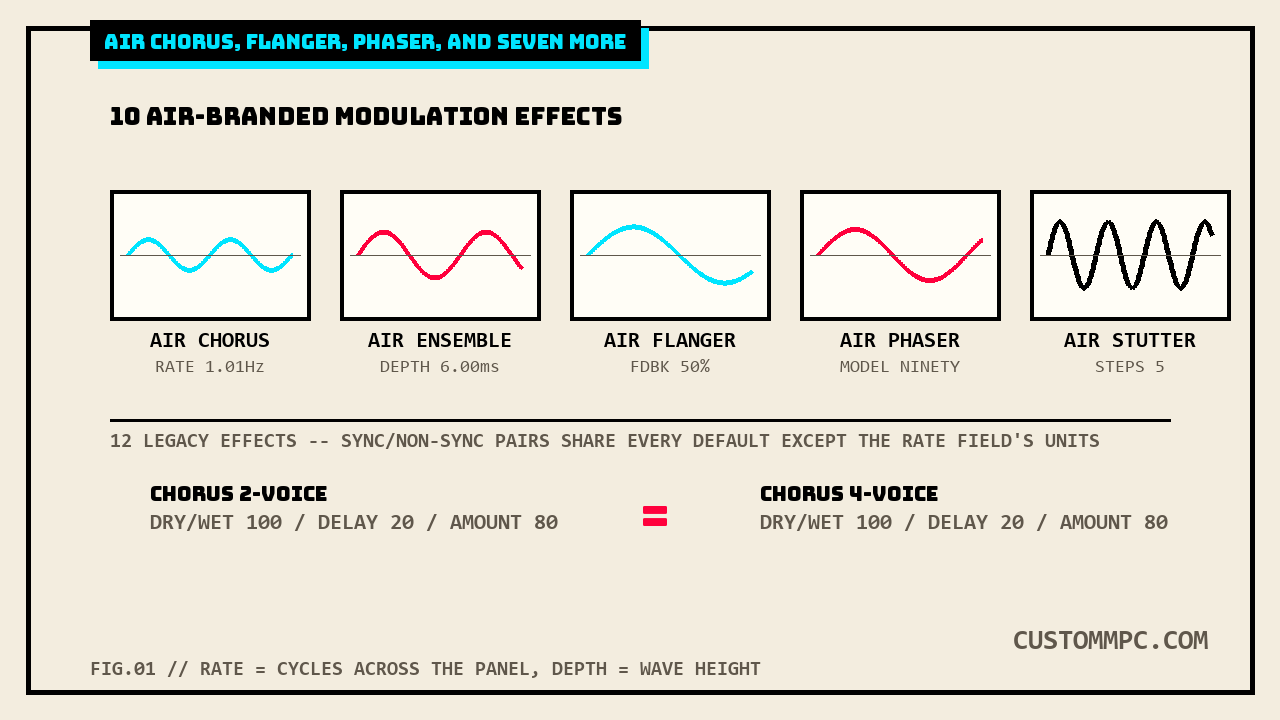
Ten of those 22 carry the AIR prefix, Akai's own name for its newer, plugin-grade effects line, and this article covers all ten with full parameter tables: AIR Chorus, AIR Ensemble, AIR Flanger, AIR Fuzz-Wah, AIR Half Speed, AIR Multi-Chorus, AIR Phaser, AIR Pitch Shifter, AIR Stereo Width, and AIR Stutter. The other twelve are simpler, older-style effects, and they group into six pairs by name alone, one tempo-free version and one project-tempo-synced version of the same idea: Autopan / Autopan Sync, Chorus 2-Voice / Chorus 4-Voice, Flanger / Flanger Sync, Phaser 1 / Phaser 2 / Phaser Sync, Tremolo / Tremolo Sync, plus Auto Wah standing alone with no sync twin.
Where these live: the Modulation category
Same shared effects list this site has already mapped across three prior categories, one insert-or-send/return catalog, 98 effects across six categories, each MPC track carrying four insert slots plus four shared send/return buses that all pull from the identical list:
"Every insert or send/return slot, regardless of location, pulls from the same shared list: 98 individual effects split across 6 categories in Akai's own Effects & Parameters appendix."
The category's own "Options:" line, quoted here in full and not trimmed:
"Options: AIR Chorus, AIR Ensemble, AIR Flanger, AIR Fuzz-Wah, AIR Half Speed, AIR Multi-Chorus, AIR Phaser, AIR Pitch Shifter, AIR Stereo Width, AIR Stutter, Auto Wah, Autopan Sync, Autopan, Chorus 2-Voice, Chorus 4-Voice, Flanger Sync, Flanger, Phaser 1, Phaser 2, Phaser Sync, Tremolo Sync, Tremolo"
The category spans six printed pages in the current manual, PDF pp.415 through 420, each AIR effect getting its own named subsection with a full parameter table, and every one of the twelve legacy effects sharing a much shorter table, usually just Dry/Wet and Rate, occasionally a couple more fields.
AIR Chorus
Akai's own description keeps it short:
"This effect is a compact but powerful plugin for classic chorus warmth and depth."
| Parameter | Range | Default |
|---|---|---|
| Rate | 0.01 – 10.0 Hz | 1.01 Hz |
| Depth | 0.00 – 24.00 ms | 7.10 ms |
| Mix | 0–100% | 50% |
| Feedback | 0–100% | 0% |
| Pre-Delay | 0.00–24.00 ms | 2.00 ms |
| Wave | Triangle, Sine | Sine |
| Offset | -180 – 0 – +180 deg. | +90 deg. |
Seven fields, the smallest full table of the three AIR chorus-family effects (Chorus, Ensemble, Multi-Chorus) covered below. Wave and Offset are the two fields that don't show up on either of the other two: Wave picks the LFO's own shape (Triangle or Sine), and Offset shifts the left/right channels' LFOs out of phase with each other, a stereo-widening trick distinct from AIR Stereo Width's own dedicated effect covered later in this article.
AIR Ensemble
"This effect applies fluid, shimmering modulation effects to the audio signal."
| Parameter | Range | Default |
|---|---|---|
| Rate | 0.01 – 10.0 Hz | 1.00 Hz |
| Depth | 0.00 – 24.00 ms | 6.00 ms |
| Width | 0–100% | 100% |
| Mix | 0–100% (dry–wet) | 75% |
| Mod. Delay | 0.00 – 24.00 ms | 0.00 ms |
| Mod. Shimmer | 0–100% | 50% |
No Feedback field at all, the one AIR Chorus and AIR Flanger both carry, and Mix defaults noticeably wetter out of the box, 75% against AIR Chorus's 50%. Mod. Shimmer is unique to this effect among the ten, a second modulation layer stacked on top of the main Rate/Depth pair rather than a straight Feedback loop.
AIR Flanger
"This effect applies a short, modulating delay to the audio signal."
| Parameter | Range | Default |
|---|---|---|
| Rate | 0.02 – 10.00 Hz | 0.40 Hz |
| Depth | 0–100% | 50% |
| Feedback | 0–100% | 50% |
| Mix | 0–100% (dry–wet) | 50% |
| Headroom | -20.0 – 0.0 dB FS | -10.0 dB FS |
The smallest table of the ten AIR effects, five fields. Headroom is the one that doesn't appear on any other AIR modulation effect in this category, a −20.0 to 0.0 dB FS ceiling specific to how the flanger's own feedback loop is gain-staged internally, not a general output trim.
AIR Fuzz-Wah: two tabs, 18 fields
"This is a multi-effect that combines transistor-like distortion and wah."
By parameter count this is the densest effect in the Modulation category, and it needed a position-sorted word-coordinate re-extraction to untangle correctly: a straight linear text pull interleaves the Fuzz-Wah tab's fifteen fields with the Modulation tab's three, since both tabs' rows print in adjacent columns on the same page. Sorted by each word's own y-then-x coordinate, the two tabs separate cleanly:
| Fuzz-Wah tab | Range | Default |
|---|---|---|
| Mix | 0–100% (dry–wet) | 100% |
| Order | Fuzz>Wah, Wah>Fuzz | Fuzz>Wah |
| Fuzz Mix | 0–100% (dry–wet) | 100% |
| Wah Mix | 0–100% (dry–wet) | 100% |
| Fuzz Drive | 0 – 40 dB | 20 dB |
| Fuzz Tone | 1.00 – 10.0 kHz | 3.16 kHz |
| Fuzz Output | -Inf – 0.0 dB | 0.0 dB |
| Fuzz Enable | Off, On | Off |
| Wah Pedal | 0–100% | 50% |
| Wah Filter Mode | Lowpass, Bandpass, Highpass | Bandpass |
| Min. Freq. | 50.0 Hz – 4.00 kHz | 428 Hz |
| Max Freq. | 50.0 Hz – 4.00 kHz | 2.07 kHz |
| Min. Resonance | 0–100% | 55% |
| Max Resonance | 0–100% | 33% |
| Wah Enable | Off, On | On |
| Modulation tab | Range | Default |
|---|---|---|
| Mode | LFO, Env | LFO |
| Rate (Mode = LFO) | 8/4 – 16 (note values) | 4T |
| Rate (Mode = Env) | 0–100% | 75% |
| Depth | -100 – 0 – 100% | 0% |
Eighteen individually addressable fields, more than double the next-densest AIR effect in this category (AIR Half Speed and AIR Stutter each carry ten). The Modulation tab's own Rate field is itself conditional, when Mode is set to LFO, Rate runs on note-value increments (8/4 down to 16, default a triplet quarter note); switch Mode to Env and the same knob becomes a plain 0–100% envelope-follower sensitivity dial instead, default 75%. Reading Rate's number off a screenshot without checking which Mode it was taken in tells you nothing about the other Mode's setting. Fuzz-Wah sits in the Modulation category specifically because of this Modulation tab, an LFO- or envelope-driven wah sweep, not because fuzz distortion itself is a modulation effect, the fuzz half of the effect (Drive, Tone, Output, Enable) has nothing modulating it at all.
AIR Half Speed
"This effect can quickly create half-speed versions from any input material. Filter the processed audio using the built-in high pass and low pass filter to create dramatic transitions, and use the fade in and fade out parameters to create synchronized transitions between dry and effected audio."
| Parameter | Range | Default |
|---|---|---|
| Trigger | Start, Stop | — |
| Loop Length | 1/16 – 4 Bars | 1 Bar |
| Mode | *1.5, *2, *4 | *2 |
| Mix | 0–100% | 100% |
| Loop Fade | 1.00 – 200 ms | 4.90 ms |
| Fade In | Hard, Soft, 1/16–4 Bars | Hard |
| Fade Out | Hard, Soft, 1/16–4 Bars | Hard |
| HPF | Off, 20.0 Hz – 20.0 kHz | Off |
| LPF | 20.0 Hz – 19.9 kHz, Off | Off |
| Band | Off, On | Off |
The one AIR effect in this category that isn't an LFO/rate-and-depth design at all, Mode literally multiplies the playback rate divisor (*1.5, *2, or *4 slower), not a Hz or ms value, and Trigger is a straight Start/Stop toggle with no numeric range, closer to a performance tool like AIR Stutter than a classic modulation effect. HPF and LPF share the same Off default and let the slowed-down material get filtered independently of the two fade parameters.
AIR Multi-Chorus
"This effect applies a thick, complex chorus effect to your audio signal."
| Parameter | Range | Default |
|---|---|---|
| Rate | 0.01 – 10.0 Hz | 1.00 Hz |
| Depth | 0.00 – 24.00 ms | 6.00 ms |
| Voices | 3, 4, 6 | 4 |
| Mix | 0–100% (dry–wet) | 50% |
| Chorus Low Cut | 20.0 Hz – 1.00 kHz | 20.0 Hz |
| Chorus Width | 0–100% | 100% |
| Mod Wave | Sine, Tri | Tri |
| Mod Delay | 0.00 – 24.00 ms | 6.0 ms |
Rate and Depth match AIR Ensemble's own defaults exactly, 1.00 Hz and 6.00 ms, diffed field by field rather than eyeballed. Voices is the field that sets this apart from both AIR Chorus and AIR Ensemble, neither of which offers any voice-count control at all, this is the only one of the three chorus-family AIR effects that lets you pick how many detuned copies are stacked (3, 4, or 6, default 4).
AIR Phaser: one field, two meanings
"This effect applies a phaser to your audio signal, for that wonderful 'wooshy,' 'squishy' sound."
| Parameter | Range | Default |
|---|---|---|
| Rate | 0.10 – 10.00 Hz | 1.00 Hz |
| Depth | 0–100% | 50% |
| Feedback | 0–100% | 0% |
| Mix | 0–100% (dry–wet) | 50% |
| Phaser Model | Vibe, Stone, Ninety, Tron | Ninety |
| Type | Phase, Rate | Phase |
| Offset (Type = Phase) | -180 – +180 deg. | 0 deg. |
| Rate mod. (Type = Rate) | 25–400% | 100% |
The genuinely easy-to-misread field: what the manual's own table prints as "Offset" isn't one control, it's two, selected by the Type field directly underneath it. Leave Type on its default, Phase, and Offset behaves as a fixed −180 to +180 degree phase shift, default 0. Flip Type to Rate and the exact same physical knob becomes a 25–400% modulation-rate multiplier instead, default 100%, a completely different unit under the same on-screen label. A screenshot or a preset dump that shows "Offset: 0" with no visible Type setting doesn't tell you which of the two behaviors is active.
AIR Pitch Shifter
"This effect alters the pitch of the audio signal and can be adjusted based on the source or style of the signal."
| Parameter | Range | Default |
|---|---|---|
| Mode | Vocal, Bass, Beats, Chords, Textures | Vocal |
| Shift | -24.0 – 0 – 24.0 | 0.0 |
| Mix | 0–100% | 100% |
The shortest table of the ten, and the manual doesn't say what Mode's five named flavors actually change under the hood beyond the name itself, no separate formant or algorithm-quality parameter is exposed. Shift runs a full 4 octaves in either direction (±24 semitones) off a single dial, with the choice of Vocal, Bass, Beats, Chords, or Textures presumably swapping the underlying pitch-tracking algorithm rather than adding any user-adjustable formant control.
AIR Stereo Width
"This effect creates a wider stereo presence in an audio signal."
| Parameter | Range | Default |
|---|---|---|
| Width | 0–200% | 100% |
| Delay | 0.0 – 8.0 ms | 0.0 ms |
| Level Trim | -Inf – 0.0 – +12.0 dB | 0.0 dB |
| Pan Trim | L100 – <C> – R100 | <C> |
| High | 0–200% | 100% |
| Mid | 0–200% | 100% |
| Low | 0–200% | 100% |
No Rate or Depth field anywhere in this table, unlike every other AIR effect in this category. AIR Stereo Width isn't LFO-driven at all, it's a static three-band (High/Mid/Low) width control plus a short Delay stage, closer in design to a mid-side processing tool than a modulation effect, filed here presumably because "width" reads as a spatial-modulation idea even though nothing in its own parameter list actually cycles over time.
AIR Stutter
"This effect creates mind-blowing glitch effects using a wide range of volume, pan and pitch stutter effects."
| Parameter | Range | Default |
|---|---|---|
| Intervals | 1/64 – 1/4 | 1/16 |
| Sync | Off, On | On |
| Steps | 2–64 | 5 |
| Step Length | 0–100% | 100% |
| Freeze | Off, On | Off |
| Decay | 50.0 ms – 100 s | 6.99 s |
| Volume | -12.0 – 0.0 – 6.0 dB | -1.2 dB |
| Mix | 0–100% | 100% |
| Pan Mod | 0–100% | 50% |
| Pitch Mod | -100 – 0 – +100% | 0% |
Ten fields, tied with AIR Half Speed for the second-densest effect in this category, and the only one where Sync defaults to On out of the box, every other Sync-capable AIR effect in this category (Fuzz-Wah's Modulation tab, Half Speed's Fade fields) leaves the tempo-relative behavior as an option rather than the default. Steps and Step Length are independent of each other, Steps sets how many repeats the buffer cycles through (2 to 64), Step Length sets how much of each repeat's own duration actually plays before the next one cuts in.
The 12 legacy effects: six pairs
The remaining twelve entries in the Modulation category's own list carry no AIR prefix and, with one exception, no unique name of their own either, they come in sync and non-sync pairs built around the same short table: a Dry/Wet field and a Rate field, occasionally one or two more. Extracted and diffed field by field, not assumed from the shared naming:
| Effect | Dry/Wet | Rate | Other fields |
|---|---|---|---|
| Auto Wah | 0–100 / 100 | — | Resonance 0–100/75, Attack 0–100/30, Release 0–100/30, Center 0–100/50, Sensitivity 0–100/50 |
| Autopan | 0–100 / 100 | 0–100 / 10 | — |
| Autopan Sync | 0–100 / 100 | 8 bars – 1/32 / 1/4 | — |
| Chorus 2-Voice | 0–100 / 100 | 0–100 / 10 | Delay 0–100/20, Amount 0–100/80, Width 0–100/80, Feedback 0–100/50 |
| Chorus 4-Voice | 0–100 / 100 | 0–100 / 10 | Delay 0–100/20, Amount 0–100/80, Width 0–100/80, Feedback 0–100/50 |
| Flanger | 0–100 / 100 | 0–100 / 10 | Feedback -100–100/0, Delay 0–100/20, Width 0–100/80 |
| Flanger Sync | 0–100 / 100 | 8 bars – 1/16 triplets / 1/4 | Feedback -100–100/0, Delay 0–100/20, Width 0–100/80 |
| Phaser 1 | 0–100 / 100 | 0–100 / 10 | — |
| Phaser 2 | 0–100 / 100 | 0–100 / 10 | — |
| Phaser Sync | 0–100 / 100 | 1 bar – 1/16 triplets / 1/4 | — |
| Tremolo | 0–100 / 100 | 0–100 / 10 | Sine to Square 0–100/0 |
| Tremolo Sync | 0–100 / 100 | 1 bar – 1/16 triplets / 1/4 | Sine to Square 0–100/0 |
Three findings, each diffed directly rather than assumed from the pairing in the names. First, Chorus 2-Voice and Chorus 4-Voice are byte-identical in their own parameter table, every range and every default number matches exactly, Dry/Wet 100, Delay 20, Amount 80, Width 80, Feedback 50, Rate 10. Nothing in the manual's own table distinguishes them, only the voice count implied by the name itself, presumably a fixed internal difference in how many detuned copies the algorithm stacks, with no exposed control confirming it either way. Second, Phaser 1 and Phaser 2 share the same fate, a single Dry/Wet and Rate field each, identical ranges and defaults, Akai's own description for Phaser 2 says only "This effect is a variation on Phaser 1," with no further detail on what the variation actually is. Third, every sync/non-sync pair that has one (Autopan/Autopan Sync, Flanger/Flanger Sync, Phaser 1 or 2/Phaser Sync, Tremolo/Tremolo Sync) shares every field except Rate itself, and even Rate's default value carries forward, only its range format changes from a free-running 0–100 dial to tempo-synced note fractions like "1 bar – 1/16 triplets."
Side by side
| AIR effect | Fields | Has Rate/Depth | Distinct feature |
|---|---|---|---|
| AIR Chorus | 7 | Yes | Wave shape + LFO stereo Offset |
| AIR Ensemble | 6 | Yes | Mod. Shimmer, no Feedback field |
| AIR Flanger | 5 | Yes | Smallest table; unique Headroom field |
| AIR Fuzz-Wah | 18 (2 tabs) | Modulation tab only | Densest effect; conditional Rate by Mode |
| AIR Half Speed | 10 | No | Playback-rate divisor, not Hz/ms |
| AIR Multi-Chorus | 8 | Yes | Only one with a Voices count (3/4/6) |
| AIR Phaser | 8 | Yes | Offset field means two different things by Type |
| AIR Pitch Shifter | 3 | No | Shortest table; 5 preset Mode flavors |
| AIR Stereo Width | 7 | No | Static 3-band width, not LFO-driven |
| AIR Stutter | 10 | No | Only one with Sync defaulting to On |
Common mistakes
Mistake: reading AIR Phaser's Offset value without checking its own Type field first. Type = Phase makes Offset a fixed −180 to +180 degree shift; Type = Rate makes the same on-screen field a 25–400% modulation-rate multiplier instead, a different unit entirely under one label.
Mistake: assuming Chorus 2-Voice sounds thinner than Chorus 4-Voice because of some parameter difference. Their tables are byte-identical, Dry/Wet, Delay, Amount, Width, Feedback, and Rate all match exactly; any audible difference comes from the fixed voice count baked into each effect's own algorithm, not from anything adjustable.
Mistake: treating AIR Fuzz-Wah's Rate field as one consistent control across presets. Its own Modulation tab's Rate depends on Mode: LFO mode uses note-value increments (default 4T), Env mode uses a plain 0–100% sensitivity dial (default 75%), two different scales under the same field name.
A note on manual versions
Every parameter table above is checked directly against Akai's Standalone OS User Guide, Manual Version 3.9, cross-checked line-for-line against Manual Version 3.7. A direct diff of both manuals' Modulation-category pages (v3.9 PDF pp.415–420, v3.7 PDF pp.394–399), normalized for whitespace and page-number lines, returned zero content differences across all six pages, every effect name, description sentence, and parameter value identical between editions. The chapter sits at the same flat plus-21 page offset this site's own EQ/Filter and Delay/Reverb articles already found for their own neighboring chapters (415 minus 394 equals 21), a third confirmed data point for that same contiguous-block-shift pattern across the whole Effects & Parameters appendix. Two pages (AIR Fuzz-Wah's and AIR Phaser's own) needed a position-sorted word-coordinate re-extraction rather than a plain linear text pull, the same technique this site's Delay/Reverb article used to untangle AIR Reverb's and AIR Spring Reverb's own stacked columns; both pages resolved cleanly on the first attempt, no gaps and no guessed pairings.
Verdict
VERDICT
Want a classic chorus with the fewest knobs: AIR Chorus, seven fields, the smallest of the three chorus-family AIR effects. Want voice-count control over how thick the chorus stacks: AIR Multi-Chorus is the only one of the three that exposes it (3, 4, or 6 voices). Building a fuzz-and-wah patch with tempo-synced or envelope-driven sweep: AIR Fuzz-Wah, but check its Modulation tab's own Mode field before trusting a copied Rate number. Chasing a specific phaser character: AIR Phaser's four Phaser Model options (Vibe, Stone, Ninety, Tron) cover more ground than the legacy Phaser 1/2/Sync trio, which share one Dry/Wet-and-Rate table between all three. Need a tempo-locked version of any legacy effect: the sync twin exists for five of the six pairs and shares every field except Rate's own units, no need to re-dial anything else by ear.
Found an AIR Modulation effect that behaves differently from its own table above, or a legacy pair that isn't as identical as this article found? Tell us about it.