GUIDE Effects
MPC Dynamics effects: the nine this site's own compressor article scoped out
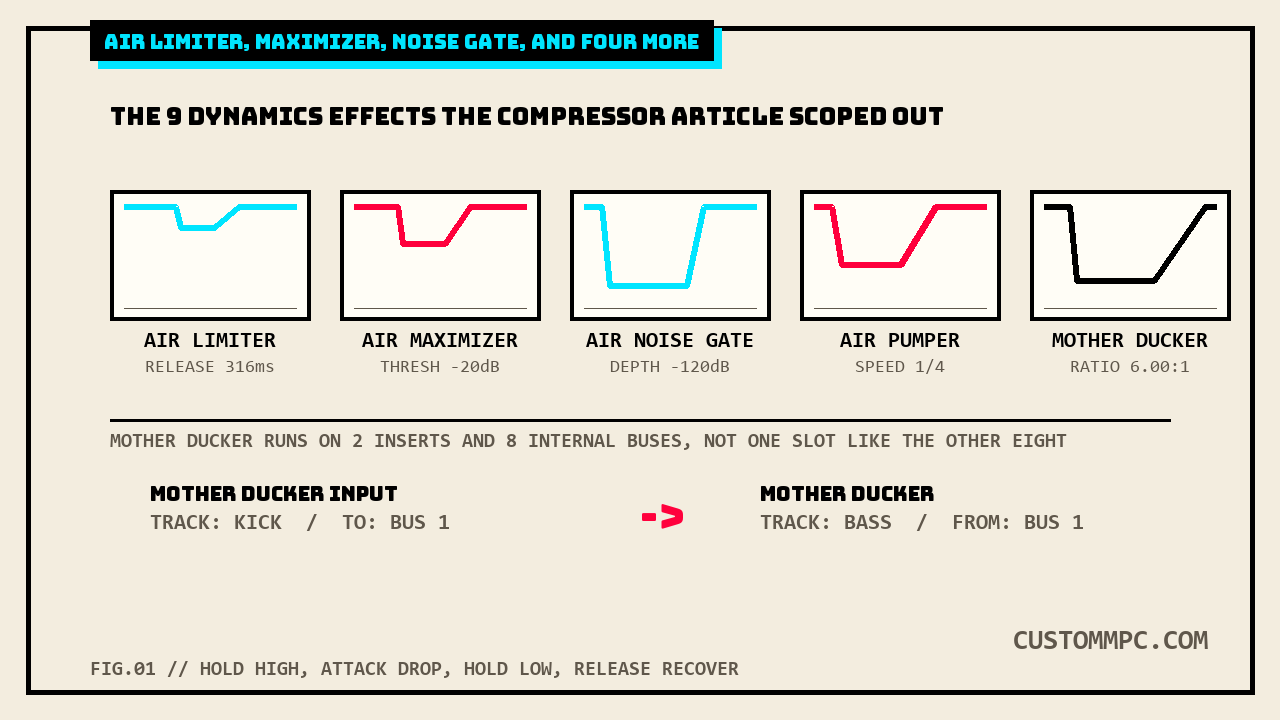
This site's compressor article opened up five of the Dynamics category's fourteen named effects and explicitly scoped out the rest, naming Mother Ducker by name as deserving "its own separate article rather than a rushed paragraph appended to this one." This is that article. It gives full parameter tables to AIR Limiter, AIR Maximizer, AIR Noise Gate, AIR Pumper, AIR Transient, Transient Shaper, Mother Ducker Input, and Mother Ducker, plus the one piece of AIR Channel Strip neither the compressor article nor the EQ article covered, its own Gate tab. Checked field by field against Akai's own manual, cross-checked against the prior manual version, with the real sidechain tool getting the space its own two-effect, eight-bus routing model actually needs.
The short version
This site's own compressor effects article already counted the Dynamics category at fourteen named effects and covered five of them, the ones that reduce gain above a threshold in the ordinary sense:
"Options: AIR Channel Strip, AIR Compressor, AIR Limiter, AIR Maximizer, AIR Noise Gate, AIR Pumper, AIR Transient, Bus Compressor, Compressor Opto, Compressor VCA, Compressor Vintage, Mother Ducker Input, Mother Ducker, Transient Shaper"
That article closed with a section titled "Not covered here: Mother Ducker" and a direct promise: real sidechain-style ducking "deserves its own separate article rather than a rushed paragraph appended to this one." This article keeps that promise and finishes the job around it: AIR Limiter, AIR Maximizer, AIR Noise Gate, AIR Pumper, AIR Transient, Transient Shaper, Mother Ducker Input, and Mother Ducker, all eight, plus the one piece of AIR Channel Strip that's sat undocumented since the EQ article covered its EQ tab and the compressor article covered its Comp tab, its own Gate tab.
Where these live: the Dynamics category
Same shared 98-effect catalog this site has mapped four times now, one insert-or-send/return list, six categories, every track's four insert slots and four shared send/return buses pulling from the identical roster:
"Every insert or send/return slot, regardless of location, pulls from the same shared list: 98 individual effects split across 6 categories in Akai's own Effects & Parameters appendix."
Dynamics sits at fourteen entries, the smallest of the six categories, and prints across four pages in the current manual, PDF pp.396 through 399. Five compressor-style effects and AIR Channel Strip's Comp tab already have full tables on this site. The rest follows below, same field-by-field extraction, nothing assumed from a name or a family resemblance.
AIR Limiter
"This is a lookahead limiter perfect for mastering or mixing."
| Parameter | Range | Default |
|---|---|---|
| Gain | -12.0 – 36.0 dB | 0.0 dB |
| Ceiling | -24.0 – 0.0 dB | 0.0 dB |
| Look Ahead | 0.0 – 20.0 ms | 0.0 ms |
| Release | 10.0 ms – 10.0 s | 316 ms |
| LF Mono | 10.0 Hz – 1.00 kHz | 10.0 Hz |
Five fields, the shortest table of the two lookahead-style effects covered in this section. Gain is a straight input trim ahead of the ceiling, not a threshold in the compressor-article sense, there's nothing to set except how hard the signal hits the fixed 0.0 dB default ceiling. LF Mono, a bass-mono-below-this-frequency stage, and Release share their exact range and default with AIR Maximizer below, diffed field by field, not assumed from the family name.
AIR Maximizer
"This effect is a limiter optimized for professional mastering."
| Parameter | Range | Default |
|---|---|---|
| Threshold | -40.0 – 0.0 dB | -20.0 dB |
| Ceiling | -20.0 – 0.0 dB FS | -5.0 dB FS |
| Look Ahead | 0.0 – 20.0 ms | 0.0 ms |
| Knee | Hard, Soft | Hard |
| Release | 10.0 ms – 10.0 s | 316 ms |
| LF Mono | 10.0 Hz – 1.00 kHz | 10.0 Hz |
Look Ahead, Release, and LF Mono are byte-identical to AIR Limiter's own table, same range, same default number down to the decimal, 0.0–20.0 ms/0.0 ms, 10.0 ms–10.0 s/316 ms, 10.0 Hz–1.00 kHz/10.0 Hz, all three diffed directly rather than eyeballed. The two effects diverge on the front end: Limiter's Gain is a plain input trim, Maximizer instead exposes a real Threshold plus a Hard/Soft Knee switch AIR Limiter has no equivalent of at all, and its Ceiling reads in dB FS rather than AIR Limiter's plain dB. Two names, two front-end designs, one shared lookahead-and-release back end.
AIR Noise Gate
"This effect is similar to a compressor, but instead of attenuating audio signal that rises above a threshold, a noise gate attenuates audio signal that falls below a threshold by a set amount. This can help reduce background noise in your audio signal."
| Parameter | Range | Default |
|---|---|---|
| Threshold | -120.0 – 0.0 dB | -48.0 dB |
| Depth | 0 – -120.0 dB | -120 dB |
| Denoise Filter | Off, On | Off |
| Denoise Thresh | -120.0 – 0.0 dB | -60.0 dB |
| Attack | 0.01 – 1000.00 ms | 0.18 ms |
| Hold | 0 – 1000 ms | 250 ms |
| Release | 1.00 – 3000.00 ms | 7.40 ms |
Seven fields. Depth's own default sits at the bottom of its range, -120 dB, meaning a fully triggered gate cuts the signal essentially to silence rather than a partial duck, a genuinely different job from AIR Pumper's or Mother Ducker's own partial-reduction defaults covered below. Denoise Filter and Denoise Thresh are a second, independent gate stage layered on top of the main Threshold/Depth pair, off by default, for steady-state hiss rather than the transient triggering the main gate handles.
AIR Channel Strip's own Gate tab
This site's EQ article covered Channel Strip's EQ tab and this site's compressor article covered its Comp tab, both against the standalone effects they reuse numbers from. The one tab neither piece opened up is Gate, printed on the same page as AIR Noise Gate itself:
| Parameter | Channel Strip Gate | Standalone AIR Noise Gate |
|---|---|---|
| Threshold default | -120.0 dB | -48.0 dB |
| Threshold range | -120.0 – 0.0 dB | -120.0 – 0.0 dB |
| Depth range / default | 0 – -120.0 dB / -120.0 dB | 0 – -120.0 dB / -120 dB |
| Attack range / default | 0.01 – 1000.00 ms / 0.18 ms | 0.01 – 1000.00 ms / 0.18 ms |
| Release range / default | 1.00 – 3000.00 ms / 7.40 ms | 1.00 – 3000.00 ms / 7.40 ms |
| Denoise Filter, Hold | not present | present |
The same pattern the compressor article found on Channel Strip's Comp section repeats here: Depth, Attack, and Release match the standalone effect exactly, to two decimal places on Attack, but Threshold ships a different default, -120.0 dB inside Channel Strip against -48.0 dB standalone. Channel Strip's gate starts fully closed by default; the standalone AIR Noise Gate starts already partway open. Channel Strip also drops the standalone effect's Denoise Filter and Hold fields entirely, a smaller four-field gate rather than the full seven-field standalone tool, folded into the same larger chain with its own Gate Enable toggle covered in the compressor article's own Channel Strip section. Every field of AIR Channel Strip is now documented on this site: EQ tab, Comp tab, and Gate tab, split across three articles as each category's own coverage reached it.
AIR Pumper
"This effect creates a rhythmic pumping effect, similar to that of sidechain compression."
| Parameter | Range | Default |
|---|---|---|
| Depth | 0–100% | 80% |
| Speed | Bar, 1/2 – 1/32T | 1/4 |
| Release Shape | 0–100% | 10% |
| Trigger Offset | -100.0 – +100.0 ms | 0.0 ms |
| Attack | 0–100% | 5% |
| Hold | 0–100% | 10% |
| Release | 0–100% | 60% |
Akai's own text calls this "similar to sidechain compression," and it does simulate the pumping shape, but there's no second input anywhere in its table, Speed runs off the project tempo directly (Bar down to a 32nd-note triplet), not a trigger track the way Mother Ducker's own two-effect model works below. Trigger Offset is the one field with no equivalent on any other effect in this article, a plus-or-minus 100 ms nudge to shift the whole pumping cycle earlier or later against the beat grid, for correcting a pump that lands slightly ahead of or behind the actual kick hits.
AIR Transient and Transient Shaper
Two separate named entries in the category's own list, and Akai's own description text for both is close enough to be worth quoting side by side:
"AIR Transient: This effect is used to enhance or soften the Attack and Release phases of audio material." · "Transient Shaper: A transient shaper can be used to enhance or soften the Attack and Release phases of audio material."
Word for word identical after the effect's own name, diffed directly rather than skimmed. The parameter tables are where they actually differ:
| Parameter | Range | Default |
|---|---|---|
| Attack | -100 – 0 – +100% | 0% |
| Attack Shape | 0–100% | 50% |
| Sustain | -100 – 0 – +100% | 0% |
| Output | -20.0 – +20.0 dB | 0.0 dB |
| Limit | Off, On | On |
| Parameter | Range | Default |
|---|---|---|
| Dry/Wet | 0–100 (dry–wet) | 100 |
| Attack | 0–100 | 50 |
| Release | 0–100 | 50 |
| Output | 0–100 | 50 |
AIR Transient is the newer-feeling design of the two: bipolar ±100% Attack and Sustain dials centered on a true zero, a separate Attack Shape curve control, a real dB-scaled Output, and a Limit toggle (on by default) that Transient Shaper has no equivalent of at all. Transient Shaper runs on the same plain 0–100 dial scale this site's compressor article already found on Bus Compressor and the Opto/VCA/Vintage trio, no bipolar center, no Shape control, but it does add a Dry/Wet field AIR Transient's own table skips entirely. Same job, same description sentence, two genuinely different control surfaces, one modern and one built on the older shared 0–100 dial family.
Mother Ducker: two effects, eight buses
Every other effect in this article runs as a single insert on a single track. Mother Ducker doesn't, it's built as a linked pair:
"Mother Ducker Input: Add this effect as an insert to the track you want to use as a trigger input, such as a kick drum track... Mother Ducker: Add this effect as an insert to the track you want to have the ducking effect applied to. Use the meters to monitor the level from your trigger input and tweak the Threshold and Ratio parameters to adjust the amount of ducking. The Attack and Release parameters can be used to sculpt the envelope of the gain reduction to achieve exactly the pumping effect you are after. Mother Ducker has eight internal buses so you can set up multiple channel strips with ducking effects from different sources."
| Mother Ducker Input | Range | Default |
|---|---|---|
| To | Bus 1–8 | Bus 1 |
| Mother Ducker | Range | Default |
|---|---|---|
| Ratio | 1.00:1 – 60.00:1 | 6.00:1 |
| Knee | 0.000 – 6.000 dB | 0.000 dB |
| Attack | 1.0 – 1000.0 ms | 10.0 ms |
| Release | 1.0 – 1000.0 ms | 100.0 ms |
| Threshold | -100.000 – 0.000 dB | -6.021 dB |
| Gain | -100.000 – +12.000 dB | -0.000 dB |
| Auto Gain | On, Off | On |
| From | Bus 1–8 | Bus 1 |
Mother Ducker Input's own table is one field, a bus number, nothing else, its whole job is routing a trigger track's level onto one of eight internal buses. Mother Ducker itself then reads From that same bus number and applies the actual ducking to whatever track it sits on, a From/To bus pair no other effect in this category has any equivalent of. Ratio and Knee use their own dedicated ranges, 1.00:1–60.00:1 and 0.000–6.000 dB, neither matching any compressor-family table this site has already published. Two fields print oddly specific numbers straight from Akai's own table rather than round ones: Threshold defaults to -6.021 dB, not -6.0 dB, and Gain defaults to "-0.000 dB," a printed negative zero, both transcribed exactly as they appear rather than rounded off. Auto Gain, on by default, is the one control that tries to compensate for the ducking's own loudness dip automatically, off if you'd rather ride Gain by hand.
Side by side
| Effect | Fields | Distinct feature |
|---|---|---|
| AIR Limiter | 5 | Plain Gain trim, no Threshold field at all |
| AIR Maximizer | 6 | Shares Look Ahead/Release/LF Mono with Limiter; adds Threshold + Knee |
| AIR Noise Gate | 7 | Second independent Denoise stage on top of the main gate |
| Channel Strip Gate | 4 | Same Attack/Release as standalone gate, colder Threshold default |
| AIR Pumper | 7 | Tempo-locked Speed; only effect with a Trigger Offset field |
| AIR Transient | 5 | Bipolar ±100% dials; only one with a Limit toggle |
| Transient Shaper | 4 | Same description as AIR Transient; plain 0-100 dials, adds Dry/Wet |
| Mother Ducker Input | 1 | Bus-routing only, no processing of its own |
| Mother Ducker | 8 | Only effect with a From/To bus pair; oddly specific -6.021 dB default |
Common mistakes
Mistake: expecting one Mother Ducker insert to do the whole job. It's two effects on two different tracks, Mother Ducker Input on the trigger track and Mother Ducker on the track being ducked, linked only by a shared bus number, not a sidechain input selector on a single insert the way some DAW compressors work.
Mistake: reading AIR Transient's Attack or Sustain value the same way as Transient Shaper's. AIR Transient's dials are bipolar, -100 to +100% centered on zero; Transient Shaper's are a plain 0-100 scale with no negative range at all, despite Akai's own description text being word for word identical between the two effects.
Mistake: assuming AIR Channel Strip's Gate tab behaves like the standalone AIR Noise Gate out of the box. Attack, Release, and Depth match exactly, but Channel Strip's Gate Threshold defaults to -120.0 dB, fully closed, against the standalone gate's -48.0 dB, and Channel Strip drops the Denoise Filter stage entirely.
A note on manual versions
Every parameter table above is checked directly against Akai's Standalone OS User Guide, Manual Version 3.9, cross-checked line-for-line against Manual Version 3.7. A direct diff of both manuals' Dynamics-category pages (v3.9 PDF pp.396–399, v3.7 PDF pp.375–378), normalized for whitespace and page-number lines, returned zero content differences across all four pages, every effect name, description sentence, and parameter value identical between editions. The chapter sits at the same flat plus-21 page offset this site's own compressor, EQ/Filter, Delay/Reverb, and Modulation articles already found for their own neighboring chapters (396 minus 375 equals 21), a fourth confirmed data point for that same contiguous-block-shift pattern across the whole Effects & Parameters appendix. Every table on this page extracted cleanly with a plain linear text pull, no position-sorted re-extraction needed this time, no gaps, no guessed pairings.
Verdict
VERDICT
Mastering a full mix: AIR Maximizer, its Threshold-plus-Knee front end gives more control over how hard it catches peaks than AIR Limiter's plain Gain trim, even though the two share an identical lookahead-and-release back end. Cleaning up a noisy input: AIR Noise Gate's full seven fields, including the second Denoise stage Channel Strip's own Gate tab drops entirely. Want a rhythmic pump locked to project tempo with no second track involved: AIR Pumper, its Trigger Offset field is the only tool in this article for nudging the pump against the beat grid by hand. Need real inter-track sidechain, one track's level pulling another's down: Mother Ducker is the only tool in the entire Dynamics category built for that job, and it needs both halves, Input on the trigger track, the effect itself on the track getting ducked, linked by one of its eight internal buses. Shaping attack and sustain with the most control: AIR Transient's bipolar dials and dedicated Attack Shape curve beat Transient Shaper's plain 0-100 scale, despite both effects sharing Akai's own description sentence word for word.
Found a Dynamics effect that behaves differently from its own table above, or a Mother Ducker routing quirk this article missed? Tell us about it.