BUYING GUIDE MPC2500
Akai MPC2500 buying guide: what to check before you buy
This site's buying-guide family already covers the MPC1000, MPC2000, MPC2000XL, MPC3000, MPC4000, MPC5000, and MPC60, and skipped the machine that actually sits between the 1000 and the 5000 in Akai's own lineup until now. Here's what the MPC2500 actually is straight from Akai's own Operator's Manual, the internal hard disk and CD drive that turn out to be real options the printed spec sheet never lists at all, and the checklist to run before you pay for one.
The short version
The MPC2500 is Akai's mid-2005 standalone MPC, announced August 30, 2005 and reviewed by Sound on Sound in January 2007, sitting between the budget MPC1000 (2003) and the studio-flagship MPC5000 (2008) in Akai's own lineup. It's a 32-voice, 44.1kHz/16-bit sampler with 16MB of sound memory standard, expandable to 128MB through a single EXM128 card slot, a CompactFlash card slot that ships as standard equipment, and two real hardware options, an internal Hard Disk Drive and an IDE CD drive, that Akai's own printed Specifications page never once lists under "Options," despite both being documented elsewhere in the same manual. There's no SCSI port anywhere on this machine, a real, confirmed absence, not a documentation gap: a full-text search of the entire manual for "SCSI" returns zero matches.
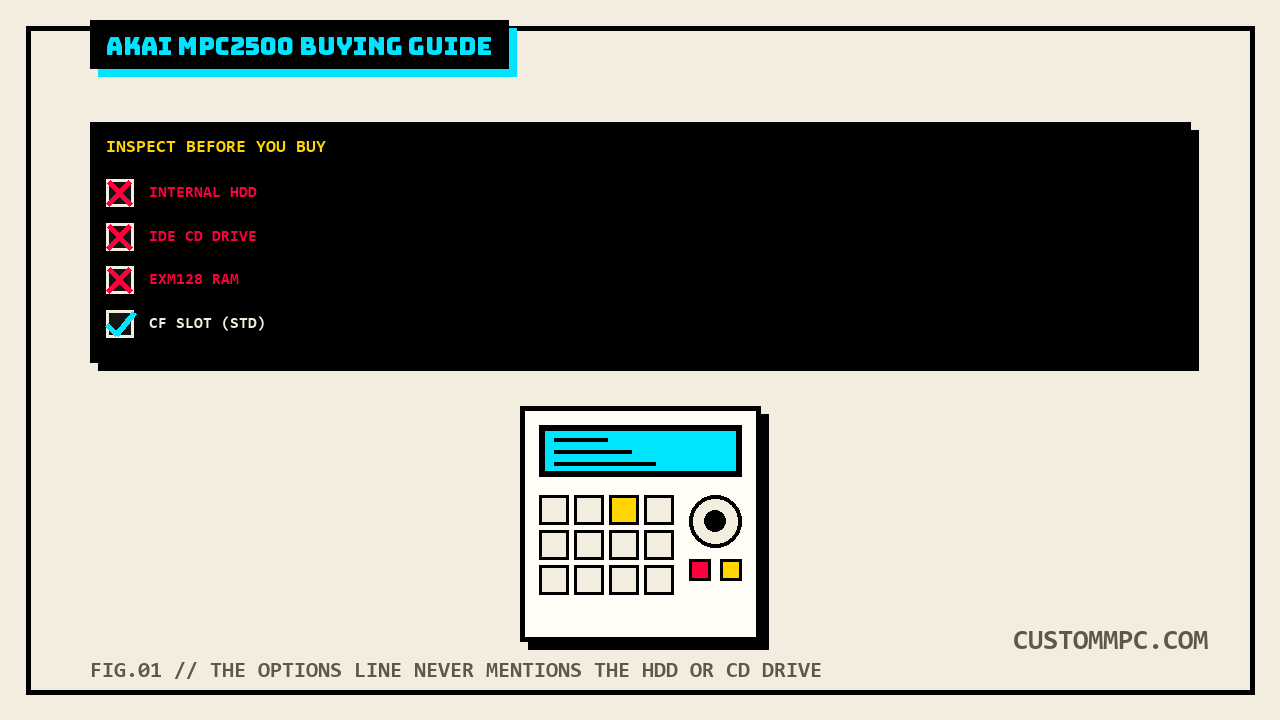
DEX'S NOTE: Every 2500 listing photo I've seen either shows a CD drive installed in that front bay or shows the bay empty with a blanking plate. Neither tells you whether the internal hard disk is also fitted, because that's a separate part in a separate spot. Ask the seller to open the top panel and show you, or at minimum ask directly, before you assume either one is in there.
What the MPC2500 actually is
Akai announced the MPC2500 on August 30, 2005, described at the time as a "mid-range MPC sampler/sequencer" with a rumored US price "thought to be $2,000," a figure the original blog coverage itself flagged as unconfirmed rather than an official announced price. Sound on Sound's own review, published roughly a year and a half later in January 2007, lists a UK price of £1,199.99 and credits the machine with folding several cost-option upgrades from earlier MPCs into the base unit: dual multi-mode filters per sample, a tempo-synced LFO, four Q-Link controls (two faders, two rotary knobs), ten multi-effect types, eight individual analog outputs, and stereo digital I/O. Reviewer Mike Senior's verdict was that the MPC2500 preserves the established MPC workflow while genuinely expanding it, writing that the added filtering and controls push it "into something closer to a musical instrument," while flagging two real limitations: high filter-resonance settings risk internal digital clipping, and the automatic beat-slicing function is limited to mono samples or a single stereo channel rather than full stereo-pair slicing. Sound on Sound's own figures for the two hardware options, "internal hard drive (20-80GB)" and a "CD-RW drive," are used here as press context specifically because Akai's own manual documents both options existing without ever printing a capacity figure or drive-model number for either one, a genuine gap covered directly in the checklist below.
Real specs, straight from the manual
Every figure below is quoted or paraphrased directly from Akai's own MPC2500 Operator's Manual rev 1.0, "Specifications" section, printed pages 117-118 (PDF pages 126-127). The table's raw text extraction interleaves labels and values in a way that's easy to misread, so every value here was independently re-extracted a second time via a position-sorted PDF block pass before being tabulated, not taken from a single linear text dump.
| Spec | Figure |
|---|---|
| Memory | 16MB standard (11.5MB usable for sound memory), expandable to 128MB via 1x EXM128 card slot |
| Polyphony | 32 voices |
| Sample format | 16-bit linear |
| Sampling rate | 44.1kHz |
| Recording time | 136 sec mono at 16MB, 24m28s mono at 128MB |
| Filters | 2x 2-pole filter per voice; Low Pass, Band Pass, High Pass |
| Preset sound memory | 5MB, 24 programs |
| Effects | 2 stereo effects plus Master effect; Chorus, Flanger, Bit grunger, 4-band EQ, Compressor, Phase shifter, Tremolo, Flying pan, Reverb, Delay; Master effect limited to 4-band EQ and Compressor |
| Sequencer capacity | 100,000 notes maximum, 96 parts per quarter note (ppq) |
| Sequences / tracks | 99 sequences, 64 tracks per sequence |
| MIDI output channels | 64 (16 channels x 4 output ports) |
| Song mode | 20 songs, 250 steps per song |
| Pads | 16, velocity and pressure sensitive, 4 banks |
| Sync mode | MIDI clock |
| Storage | CompactFlash card slot, 32MB to 2GB supported, standard equipment; internal Hard Disk Drive and IDE CD drive both real options, capacity/model undocumented in the printed spec table |
| Digital I/O | RCA S/PDIF in and out x1 each |
| Analog I/O | Stereo record input (balanced -40dBu), stereo out and 8 individual outs (balanced +11dBu, +22dBu max), 1/4" stereo phones out |
| USB | Slave connector x1, Mass Storage Class support (Windows 2000/Me/XP+ or Mac OS 9.x/10.x+) |
| MIDI | 2 inputs, 4 outputs, 5-pin DIN |
| SCSI | none; zero mentions anywhere in the manual |
| Display | 240 x 64 dot graphic LCD with backlight |
| Options | EXM128 (128MB expansion memory card) is the only line item Akai's own printed Options block names; internal HDD and IDE CD drive are real, manual-confirmed options omitted from that same block |
| Dimensions / weight | 415 x 93.5(max 139) x 332.9(max 334) mm, 6.15kg |
| Power | 21W |
Why it's still worth buying in 2026
Four real reasons. First, its core sound engine is closer to this site's already-covered MPC1000 than its position in the lineup might suggest, worth stating plainly rather than assuming bigger numbers across the board: both machines document the identical 16MB-standard-expandable-to-128MB memory ceiling, 32-voice polyphony, 16-bit/44.1kHz sampling, 100,000-note sequencer, and 32MB-to-2GB CompactFlash range in their own respective spec sheets. What actually separates them is control surface and I/O: the MPC2500 documents 4 Q-Link controls (2 faders, 2 rotary knobs) against the MPC1000's 2 sliders only, and 8 individual assignable outs against the MPC1000's 4, a real, meaningful step up for anyone routing individual pads to outboard gear or a hardware mixer, not a bigger-numbers sales pitch. Second, both machines share the same real optional-internal-drive pattern rather than the MPC2500 being unique here: this site's MPC1000 guide documents an Akai-named "Kit-HDM10" internal hard disk option for that machine, and the MPC2500's own manual confirms an equivalent option without naming a kit number on the pages available in this scan, covered directly in the checklist below. Third, storage is genuinely simple by vintage-MPC standards: a stock unit ships with a 32MB CompactFlash card as standard equipment, officially rated for cards from 32MB to 2GB, so there's no SCSI2SD-style mod to plan the way there is for the SCSI-equipped MPC2000XL, MPC3000, or MPC4000, because this machine never had a SCSI port to begin with. Fourth, Akai's own Data Compatibility table documents real cross-loading with several older Akai formats, useful if you're carrying a sample library forward: MPC1000 SEQ/WAV/PGM files load directly, MPC2000/2000XL SEQ/WAV/SND/PGM files load with most PGM parameters intact, MPC4000 files load as SEQ/WAV/PGM but DRUM program only with just note-assign and tune data carried over, MPC3000 data loads only as SND through a connected computer, and Akai's Z4/Z8 and S5000/6000 samplers load as WAV only (S5000/6000 also through a computer), while S1000/3000 data has no compatibility path at all.
What it isn't: a machine where the internal hard disk and CD drive come standard. Both are real, confirmed options this machine can genuinely run, per the manual's own front-panel description and its LOAD/SAVE workflow, but Akai's own printed Options table only lists the EXM128 RAM card, and the manual's dedicated installation instructions for the internal HDD, referenced in the table of contents at printed page 122, are missing from the specific archive.org scan this article was researched against, a genuine gap covered directly in the checklist next.
The checklist: options and firmware
Run these roughly in order. The first two clear up the two points of confusion that come up most on a used MPC2500 listing.
1. Ask which of the three real options are actually installed
Akai's own printed Options block names exactly one item, the EXM128 128MB expansion memory card, but the manual's Front Panel section and its Chapter 17 (Connecting the MPC2500 to your Computer) both separately confirm two more real options that never appear in that Options table at all: an internal Hard Disk Drive, selectable as a LOAD/SAVE destination alongside the memory card, and an IDE CD drive installed in the front-panel CD Drive bay, usable both for sampling directly from an Audio CD and for loading data from CD-ROM. A stock, unexpanded MPC2500 has 16MB of sample RAM, no internal hard disk, and no CD drive, running entirely off the standard-issue 32MB CompactFlash card. A listing photo showing a CD drive installed in that front bay tells you nothing about whether the hard disk is also fitted, since they're two separate physical installs in two separate locations; confirm both directly.
2. Know the internal HDD's own installation page is missing from at least one common scan
The manual's own table of contents lists "Installation of Internal Hard Disk Drive" at printed page 122, the page immediately following the Specifications section, but that specific page is blank in the archive.org scan this article was researched against (manualzz-id-1256534), which jumps directly from the MIDI Implementation Chart on printed page 121 to the INDEX beginning at printed page 123. That means this article can confirm the internal HDD option exists and how it's used day to day (it's a real LOAD/SAVE destination, referenced by name across multiple chapters), but can't cite Akai's own capacity or drive-type figures for it directly; Sound on Sound's period review states a 20-80GB range and calls the option a CD-RW drive rather than a plain CD-ROM reader, used here as press context filling a gap this particular scan leaves open, not as an Akai-confirmed spec. If a seller can point you to their unit's actual installed drive capacity from the unit itself (most MPC LOAD/SAVE screens show free space on the selected destination), trust that over any press figure.
3. Treat "256MB" RAM listings as an unofficial mod, not an Akai spec
Akai's own manual documents exactly one memory-expansion slot and caps expandable sound memory at 128MB total via the single EXM128 card. Community reporting on MPC-Forums describes a workaround using cheaper 256MB laptop SODIMM RAM in that same slot, on the reasoning that the MPC2500 only addresses one side of the chip, meaning the unit still tops out at the same 128MB the factory EXM128 card provides even when a physically larger 256MB module is installed. That's a real, independently-reported community claim about how to source cheaper RAM, not a documented way to exceed Akai's own 128MB ceiling; a seller claiming "256MB installed" as if it doubles capacity over the factory card is repeating forum shorthand for the module's own size, not Akai's spec.
4. Don't pay a premium for "Special Edition" cosmetics expecting extra function
Akai's manual covers the MPC2500 with a single Specifications table and never breaks out a separate spec sheet for an "SE," "LE," or "XL" variant; every functional figure in the table above applies to the whole line as documented. Real Special Edition listings on the used market add wooden side panels and cosmetic trim as their distinguishing feature; at least one listing title also adds language like "XXL SCREEN" that doesn't correspond to any documented display spec difference in Akai's own manual, which lists the same 240 x 64 dot graphic LCD for the line as a whole. Pay for the wood panels if you want them; don't pay expecting a bigger or different screen than the manual documents.
What they actually cost right now
Real listings run wide, and cosmetic trim moves the number more than condition alone. Search-indexed Reverb data for standard black units shows asking prices in the roughly $719 to $849 range for used, playing condition, while Special Edition and "SE Limited"/"XL" trim listings with wood panels or documented upgrades have shown asking prices in the $1,000 to $1,029 range, a real premium for cosmetics and add-ons, not a different base machine. The rumored $2,000 US price at 2005 announcement and the £1,199.99 UK price Sound on Sound quoted at its 2007 review are both well above what any of today's listings ask, ordinary depreciation for a 20-year-old standalone sampler, not a sign something's unusually wrong with cheaper listings. Factor the options checklist into any price comparison: a bare 16MB unit with no hard disk and no CD drive on the stock 32MB CompactFlash card is a real step down in day-to-day convenience from a fully-optioned unit with the EXM128 card, internal HDD, and CD drive all fitted, even though both are the same base machine per Akai's own spec sheet.
Common mistakes
Mistake: assuming the internal hard disk or CD drive ships standard. Neither does; Akai's own printed Options block names only the EXM128 RAM card, and the manual's Standard accessories line lists just the CompactFlash card, power cable, and Operator's manual.
Mistake: assuming a listing photo showing one option confirms the other. The internal HDD and the IDE CD drive are two separate physical installs in two separate locations per the manual's own descriptions; confirm both directly rather than inferring one from the other.
Mistake: expecting a SCSI-based storage mod path like the MPC2000XL, MPC3000, or MPC4000. There's no SCSI port on this machine at all, confirmed by a zero-match full-text search of the entire manual; storage runs through the CompactFlash slot, the optional internal HDD, and USB Mass Storage to a computer instead.
Mistake: treating "256MB RAM installed" as double Akai's documented ceiling. Akai's own manual caps expandable memory at 128MB through its single EXM128 slot; a 256MB SODIMM in that slot is a community-reported way to source a compatible part more cheaply, not a documented way past that ceiling.
A note on sources
Rule two on this site is that conflicts and gaps get stated, not quietly resolved, and this article surfaced a genuine one worth calling out plainly: Akai's own printed Specifications page names exactly one option, the EXM128 RAM card, while the same manual's Front Panel section and its Chapter 17 both separately confirm an internal Hard Disk Drive and an IDE CD drive as real, installable options that simply never made it into that summary Options table. That's not a press-versus-primary-source conflict, both facts come from Akai's own manual, just from different sections that don't cross-reference each other.
A second, honest limitation is specific to the exact scan this article was researched against: the manual's own table of contents promises a dedicated "Installation of Internal Hard Disk Drive" section at printed page 122, and that page is genuinely blank in the archive.org copy (manualzz-id-1256534) used here, confirmed by direct page-by-page inspection rather than assumed from a page-count mismatch. Sound on Sound's 20-80GB HDD figure and its "CD-RW" drive description are used in this article specifically to fill that gap as press context, not because they contradict anything Akai's own manual states, since the manual simply doesn't print a comparable figure on the pages available here.
One general vendor-sourcing note also applies here, consistent with every other buying guide on this site: direct fetches of the specific Reverb item pages and the MPC-Forums EXM128 thread both failed during this research pass (HTTP 403 in both cases), so those figures rest on WebSearch's indexed summaries of that content rather than a direct page fetch. Where a direct fetch succeeded, the Sound on Sound review and the Music Thing announcement post in this case, that's stated as such above; where it didn't, that's stated too.
Verdict
VERDICT
The specs: 32 voices, 44.1kHz/16-bit sampling, a 100,000-note sequencer across 64 tracks, 128MB of headroom over a 16MB stock configuration, a standard-equipment CompactFlash slot, zero SCSI anywhere on the machine, and real cross-loading with most of Akai's own older Akai/MPC formats, all confirmed straight from Akai's own Operator's Manual. The purchase: ask directly which of the three real options, the EXM128 RAM card, the internal Hard Disk Drive, and the IDE CD drive, are actually installed rather than trusting a listing photo, don't expect Akai's own manual to hand you an HDD capacity figure on this particular scan, treat "256MB RAM" claims as a community sourcing tip rather than a spec upgrade, and don't pay Special Edition prices expecting functional differences a wood side panel doesn't provide. The money: roughly $719 to $849 for a standard black unit and $1,000 to $1,029 for Special Edition/LE trim per current search-indexed Reverb data, against a rumored $2,000 US price at 2005 announcement and a confirmed £1,199.99 UK price at Sound on Sound's 2007 review. Get the options checklist right and you're buying the real bridge between this site's MPC1000 and MPC5000 guides, not a mystery box with parts you assumed were included.
Bought one recently, or found something this checklist should have caught? Tell us what happened.